With Secrets Vault, you can share your vault with multiple trusted individuals while ensuring maximum security and privacy. Using visual cryptography and multi-party custody, Secrets Vault allows you to grant access without revealing the vaults directly or relying on centralized storage.
Here is a step by step guide on how to securely share your vault with multiple people using Secrets Vault, ensuring only authorized individuals can recover it while maintaining full control over who gets access.
Sharing Your Vault #
- Choose a vault and click on the Share button.
- A box will open with two tabs. Stay on the one called labelled “Share Vault“.
- Select the Share your Vault option.
- In Share Mode, choose between Public or Private sharing.
- Open the drop-down menu of “Advanced Options” to set the date when the vault will be available and when it will expire. You can even set the number of times the recipient can open the secret.
How to share a vault #
If you choose to share privately, all you have to do is add the recipients’ email addresses. The maximum of recipients depends on your license.
Only registered users with the same email address will be able to open the secret. They will receive an e-mail message with the access. But you can also copy a private link.
How to share a public vault #
If you choose to share publicly, you can also customize the advanced options.
And, by clicking Share Secret, you’ll receive a unique link that anyone can open, even without a Secrets Vault account.
Remember that both options require you to send the Keepic, the image chosen as key for the secret. You can do it though a separate and private message or sharing the image in social media.
How to Revoke Access to a Shared Vault #
- Start as you would when sharing a vault.
- When the box pops up, select the Who can access it tab
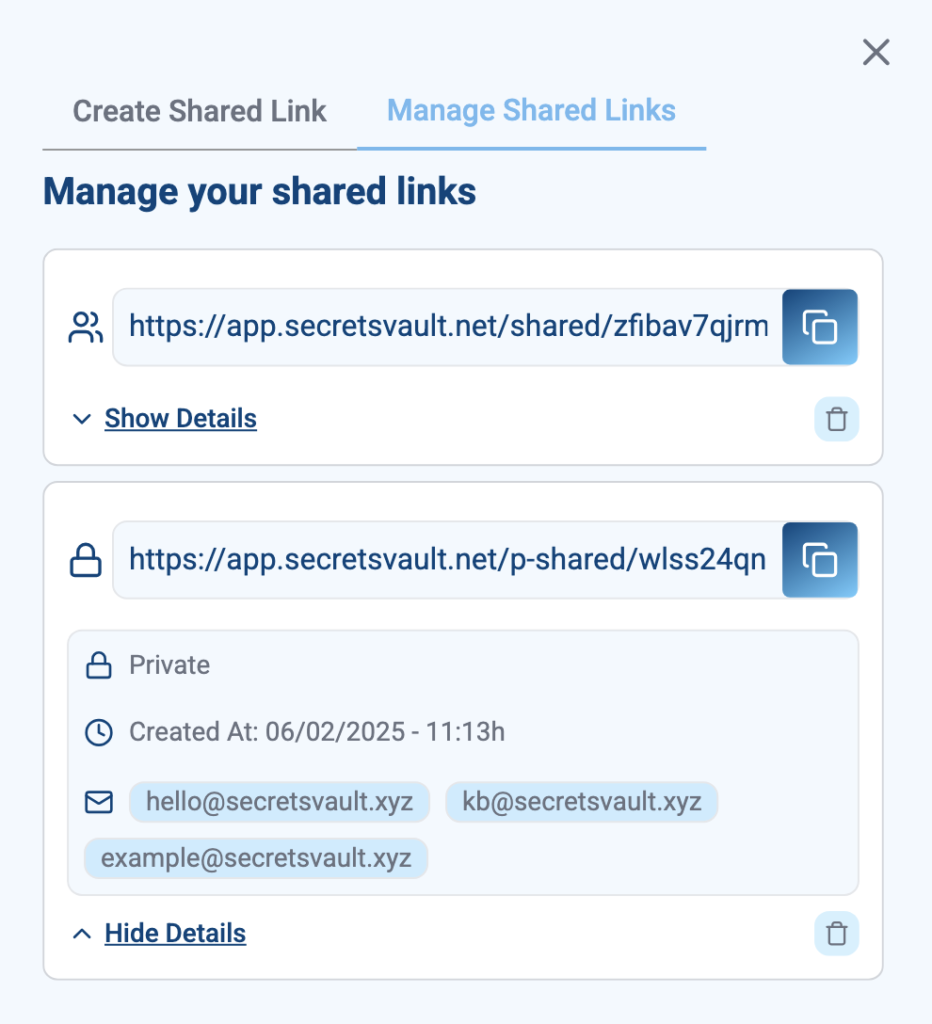
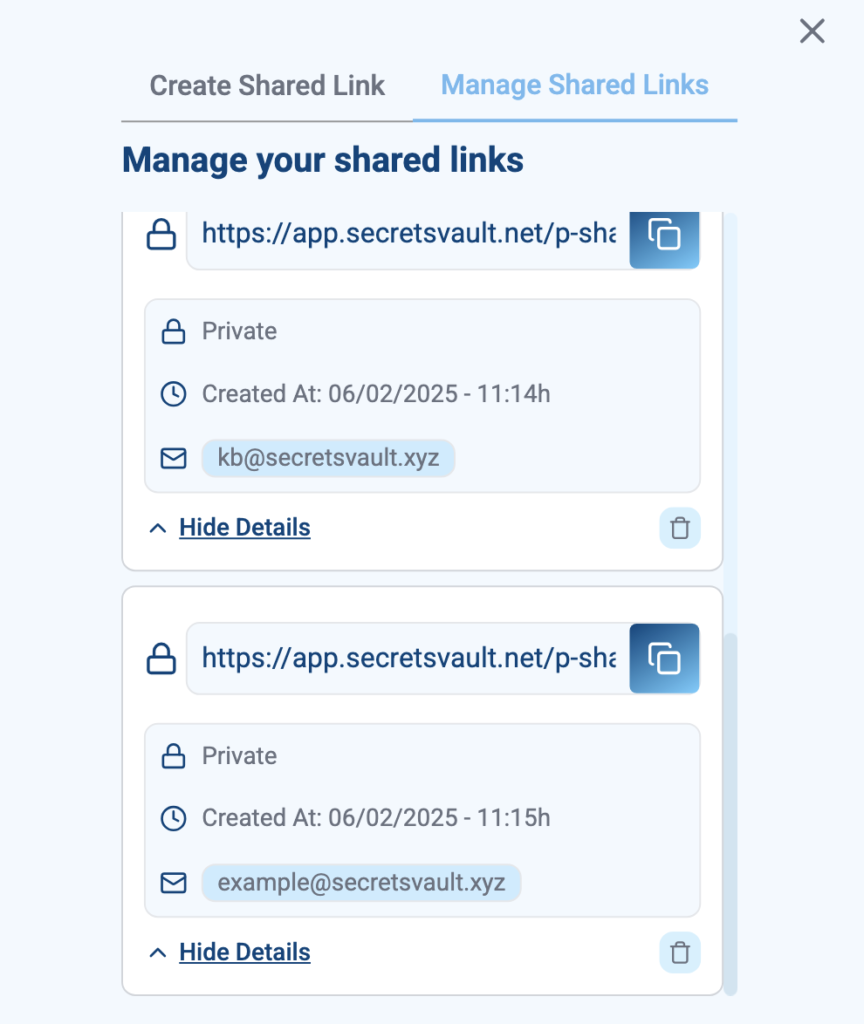
- You will be able to view each shared link created for that specific secret. Click on “Show Details” to see who you shared that link with and when they have access it.
- Delete the link of your choosing to remove that person’s access to your secret.
Managing who can access your vault is easy with separate links:
However, if you shared a single link and wish to revoke access, you will have to delete it for the entire group: