
Secrets Vault v1.0.6
Release Date: 01/07/2025
We are thrilled to introduce Secrets Vault Version 1.0.6, packed with exciting new features to enhance both security and user experience. Here’s what’s new:
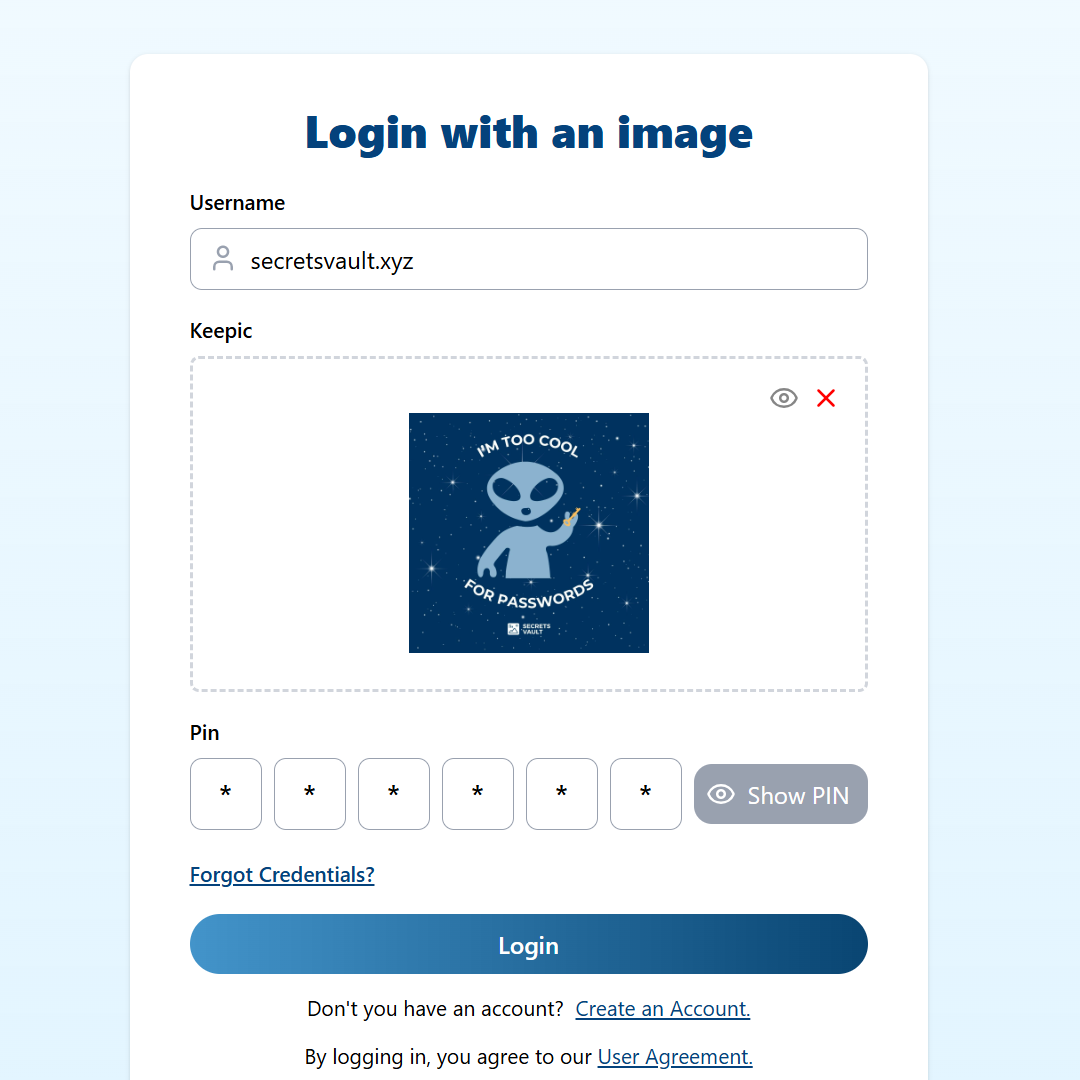
Visual Authentication #
Password-Free Account Setup #
Say goodbye to traditional passwords! With the latest update, you can now set up your Secrets Vault account using just an image and a PIN. This password-free authentication method not only enhances security but also simplifies the onboarding process.
How it works #
Select an image from your gallery, combine it with a personal PIN, and you’re all set! No more worrying about password management or remembering complex credentials.
Benefits #
- Enhanced security through visual authentication.
- Convenience: Forget about password fatigue.
Multiple File Attachments in Secrets #
Share More Securely #
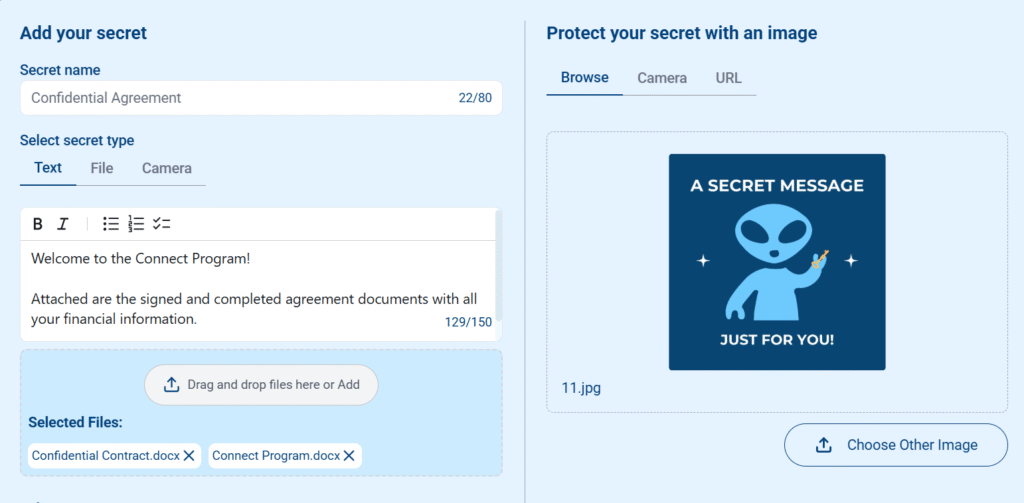
We’ve upgraded the functionality of Secrets Vault to allow you to upload multiple files and attachments to a single secret. Just like attaching files to an email, you can now securely share documents, images, and more in one easy-to-manage package.
How it works #
Simply select your files and upload them along with your written message, and the files will be securely encrypted with the image of your choice.
Benefits: #
- Secure sharing of multiple files at once, perfect for detailed or complex sensitive information.
- Greater flexibility in how you protect and share private data.
Secrets Vault v1.0.3
Release Date: 12/03/2025
We are excited to announce the release of Secrets Vault v1.0.3, introducing enhanced text formatting, an improved sharing experience, and significant performance optimizations. These updates are designed to provide a more seamless and efficient experience when managing and protecting your secrets.
What’s New? #
Enhanced Text Formatting for Secrets #
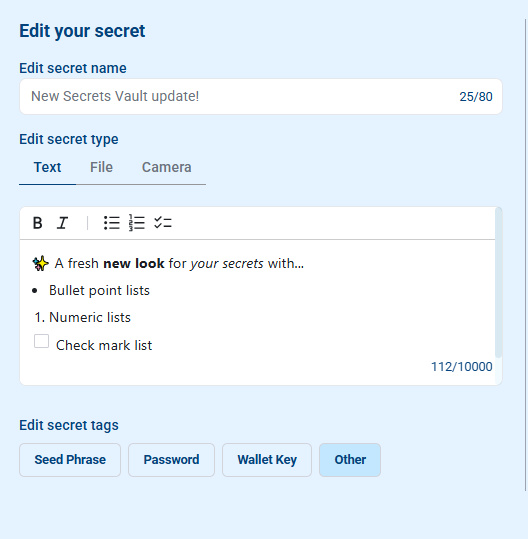
Secrets Vault now offers improved text formatting capabilities, allowing users to structure and style their secrets more effectively. The new editor supports:
- Bold and italic text for better emphasis
- Bulleted lists, numbered lists, and checklists for clearer organization
- Markdown support to ensure consistent formatting across platforms
Improved Sharing Experience #
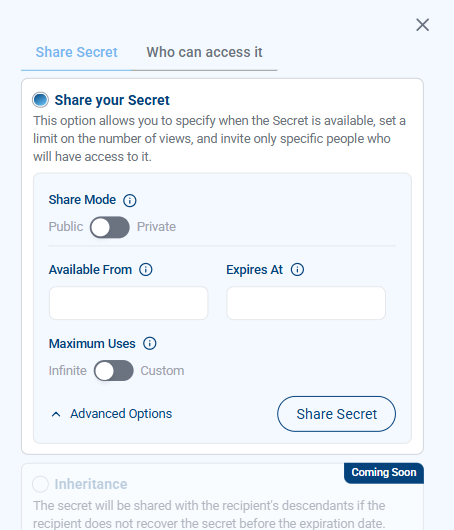
We have streamlined the secret-sharing process to make it more intuitive and efficient:
- Simplified sharing options: Easily choose between public and private sharing
- Dropdown menu for advanced options: More control while keeping the interface clean and user-friendly
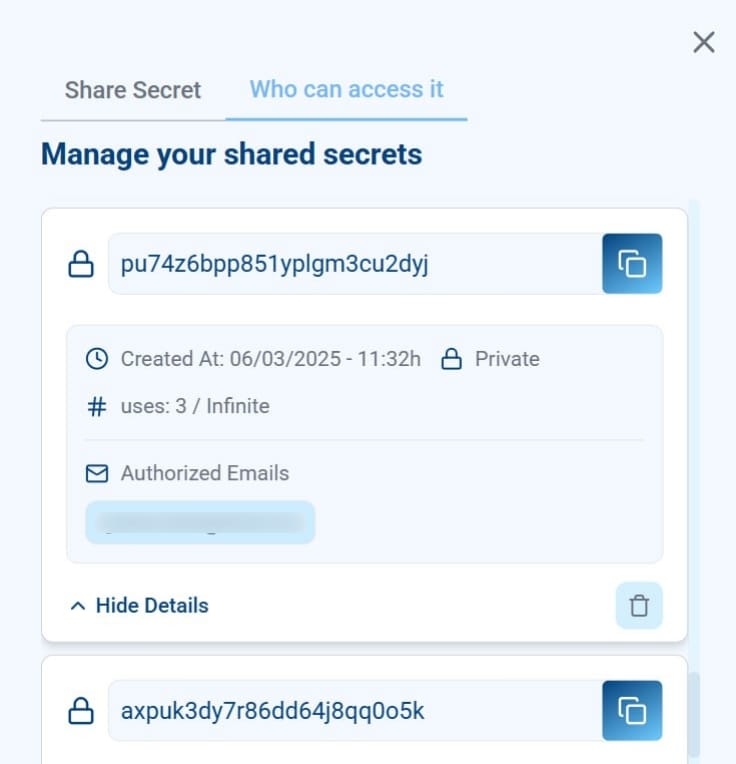
Secret Recovery Tracking #
With this update, you can now monitor secret recovery actions for improved visibility and control:
- View who has recovered your shared secrets
- Track when the recovery occurred, ensuring transparency in secret access
Performance Enhancements #
We have implemented optimizations to improve speed and efficiency:
- Visual processing and cryptographic algorithms have been enhanced, resulting in a more than 2x faster secret protection and recovery process
- Better overall system performance, ensuring a smoother user experience
How to Update #
These enhancements are now live in the Secrets Vault app. No action is required—simply log in to access the latest features.
For more details, visit our Knowledge Base or contact our support team.


